Compliance4 Oct 2026
Do you need to hang a time clock on the wall in 2027? According to Securex, not necessarily. What the planned time registration in Belgium does ask for, three ways to record working time and a checklist for teams that work on the road or at client sites.
Status on 29 September 2026: mandatory registration of working time in Belgium is planned from 1 January 2027. The text has not yet been published in the Belgian Official Gazette (Belgisch Staatsblad). According to Deloitte (22 September 2026), the practical rules, exceptions and penalties will only be fixed once the law is passed and published.
"Do I need to buy a time clock?" That is the question business owners ask most often since the planned time registration made the news. The short answer: not necessarily. What you will need is a system that records your employees' working time in an objective, reliable and accessible way. What that system looks like is largely up to you.
In this article you will read what the plans ask for, why "time clock" became the headline, which three options exist and what to watch for if your team does not walk through the same door every morning.
Securex sums it up: there will be no mandatory time clock, but there will be a duty to record working time with "an objective, reliable and accessible system" (Securex, 12 May 2026). As currently reported, and pending the final text, that means:
SD Worx writes that it concerns the working time actually performed and that you will have to keep the data for five years (SD Worx). That too is reported pending the final text.
When the measure appeared in the budget agreement at the end of 2025, everyone immediately talked about a time clock. UNIZO, the Flemish association of self-employed and SMEs, called it "a step back" and warned of "an extra layer of administration" (UNIZO, 27 November 2025). The image of a device on the wall stuck. But according to Securex, it is not necessarily about time clocks: it is about a way to measure working time.
There is no right or wrong choice. It depends on where and how your team works.
| Option | Fits | Records well | Weak spots | Link with payroll and invoicing |
|---|---|---|---|---|
| Terminal or badge reader on the wall | Teams that start and stop at one location | Arrival and departure at that location | Work at client sites, on the road or at home | Usually via an export to your social secretariat (payroll provider) |
| Separate time tracking app | Teams that work in different places | Start, end and breaks, also remotely | One more tool next to your ticketing or project software; double entry | Export to payroll; invoicing separate |
| Time registration in your service or project tool | Service companies that already manage tickets, projects and invoices | Working time and the hours per client or job | Less suitable if you do not use tickets or projects | Working time to payroll, billable hours to invoices |
Many service SMEs have technicians working at client sites, colleagues working from home and people on call. For them, a device on the wall is not a solution. For each option, check:
Xcellerate OPS is a service desk that grows into projects, quotes, timesheets and invoicing. For the planned time registration, OPS lets you:
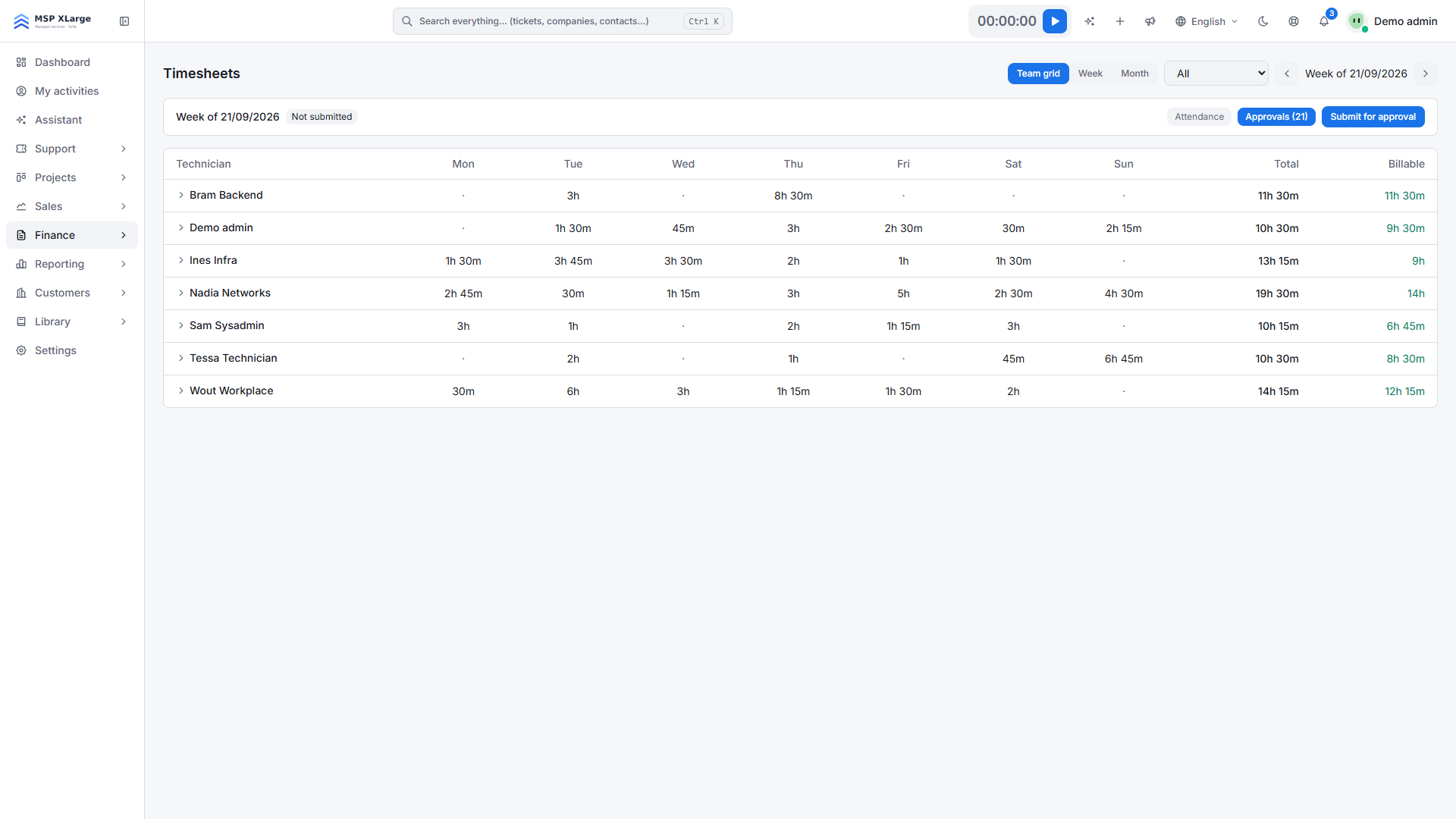
On top of that, your team records time per ticket or project task with the timer or in the timesheet. That way you see, per technician and side by side, how much was worked and how much of it is billable.
Weekly timesheets: total and billable per technician (demo data).
In the settings you decide until when time can still be edited, which fields are required and whether regular users may only record time with the timer.
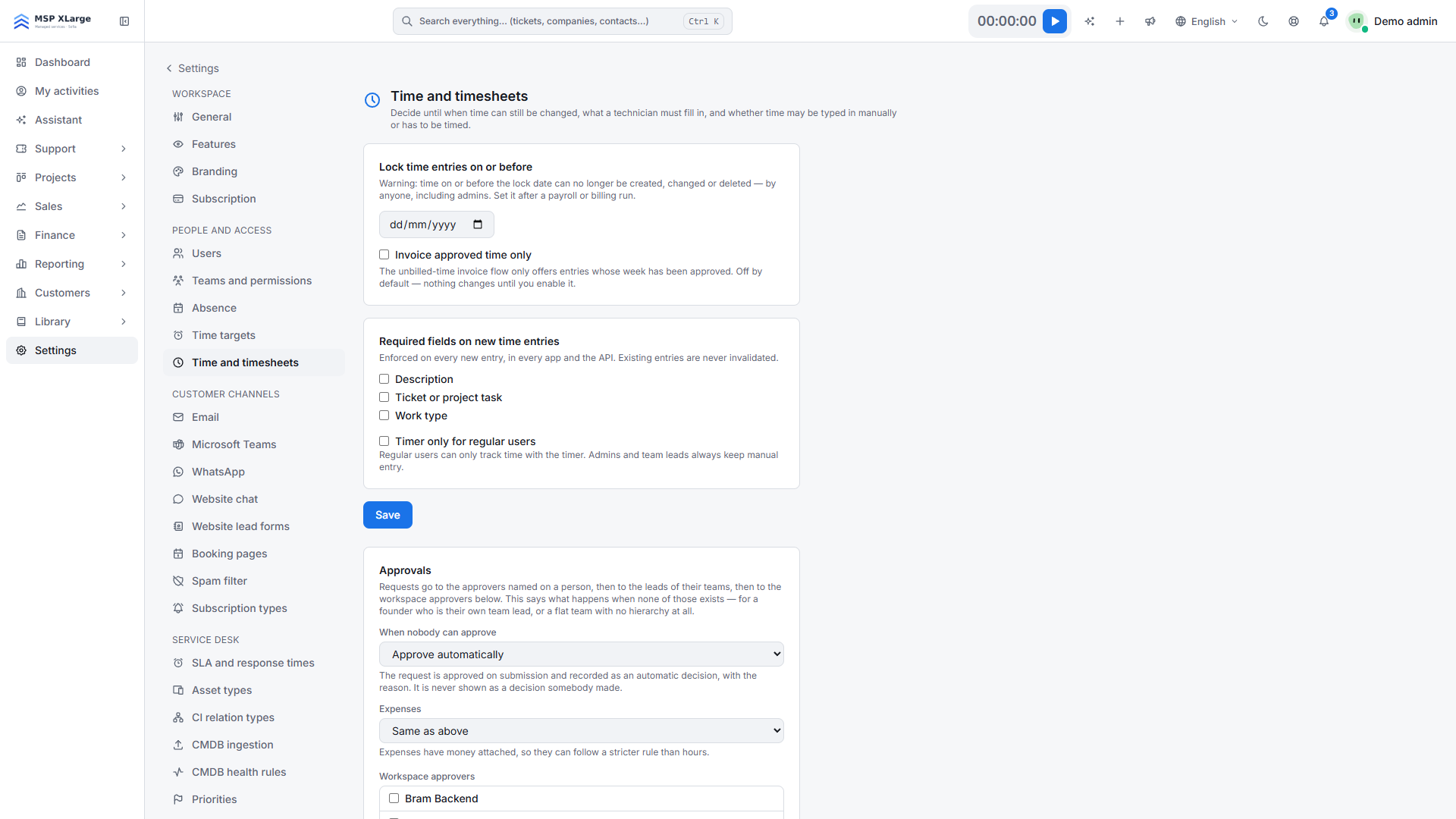 Time and timesheets: lock date, approval and required fields (demo data).
OPS helps you meet the planned rules. The final text and your social secretariat decide what your company needs. Read more about the features on the Time tracking & billing page. The setup steps are in Set up time registration 2027 in Xcellerate OPS. The background of the measure is in Mandatory time registration in Belgium in 2027.
Start free with a workspace and test time registration for a month with your own team, well before 1 January 2027. Need help? We are happy to schedule a free onboarding call over video, and we import your data from more than 20 platforms.
Xcellerate OPS covers Belgian 2027 time registration requirements out of the box — no extra module needed.