Compliance4 Oct 2026
You already log billable time on tickets, but Belgium's planned time registration (from 1 January 2027) is about working time. The difference, where MSPs get caught out, and a 4-week plan.
Status on 29 September 2026: mandatory working-time registration in Belgium is planned from 1 January 2027. The legal text has not yet been published in the Belgisch Staatsblad. According to Deloitte Belgium (22 September 2026), the exact rules, exceptions and sanctions will only be fixed once the law is actually adopted and published.
You already log time. Every MSP does: minutes on tickets, hours on projects, because no hours means no invoice. But Belgium's planned rules are about something else: working time. When the day starts, when it ends, and when there was a break. This article is for owners of MSPs and IT service companies with staff in Belgium: what the difference is, where you get caught out, and how to run both from one system without asking your technicians to clock twice.
TL;DR
- Billable time = what you charge the customer. Working time = how long your employee actually worked. They're two different numbers.
- Time on tickets alone may not be enough to show working time: breaks, travel and internal work are often missing.
- Pick one system that records both, with an audit trail and an export for your social secretariat.
It sounds like a detail, but these are two separate records with different jobs.
| Billable time | Working time | |
|---|---|---|
| What it measures | Time you charge to a customer | Time the employee actually worked |
| Unit | Minutes per ticket, task or project | Start and end of the day, breaks |
| Who needs it | Customer, invoicing, project tracking | Employee, payroll, social inspection |
| What it leaves out | Internal work, training, travel (often) | Nothing: non-billable work is still working time |
| What the sources stress | Is the invoice right? | Actual hours worked, not the schedule (SD Worx, Dutch) |
A technician who starts at 8:00, stops at 17:00 and takes a 30-minute break worked 8.5 hours. Their tickets might show 6. The rest is an internal meeting, a drive, an update that failed. Those 2.5 hours aren't a mistake: they're just invisible in your ticket data.
The short version (more in our guide to Belgium's planned time registration):
All of this as reported, pending the final text. Details may still change.
For an office with fixed hours, working time is easy. For an MSP, not so much. Four pressure points:
An alert at 23:00, a server that needs a restart in the middle of the night. Does that work show up anywhere as working time, or only as ticket minutes? Agree with your social secretariat how you'll record on-call duty and call-outs.
Technicians who drive from customer to customer don't start their day at your office door, so a wall-mounted time clock doesn't help much. How travel time counts will depend on the final rules and your sector: check with your social secretariat.
SD Worx's list of possible exceptions includes teleworkers and travelling staff, alongside managerial and positions of trust, family businesses, sales representatives and homeworkers. That list is not final. Don't assume your remote staff will be out of scope.
On a fixed monthly fee, technicians often log nothing, or only what they "have to". Then you have neither billable time nor working time. It's also where your margin leaks.
A vendor-neutral checklist, whatever tool you pick:
Xcellerate OPS keeps billable time and working time in one system. What you can use today (see the time & billing page):
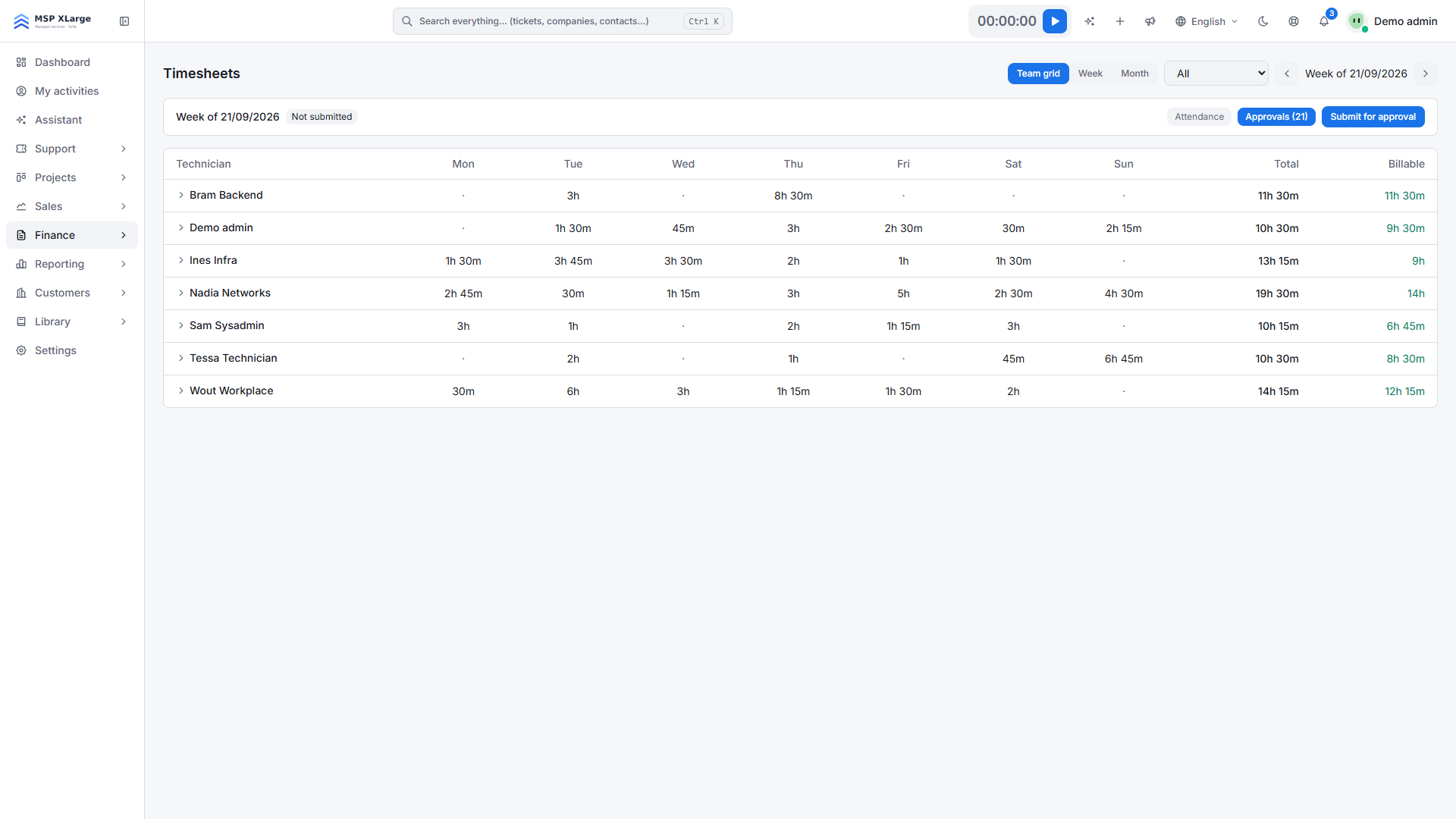
The timesheets team grid: total and billable time per technician, per day.
In settings you decide how strict it is: lock entries on or before a date, invoice approved time only, required fields (description, ticket or project task, work type) and who approves what.
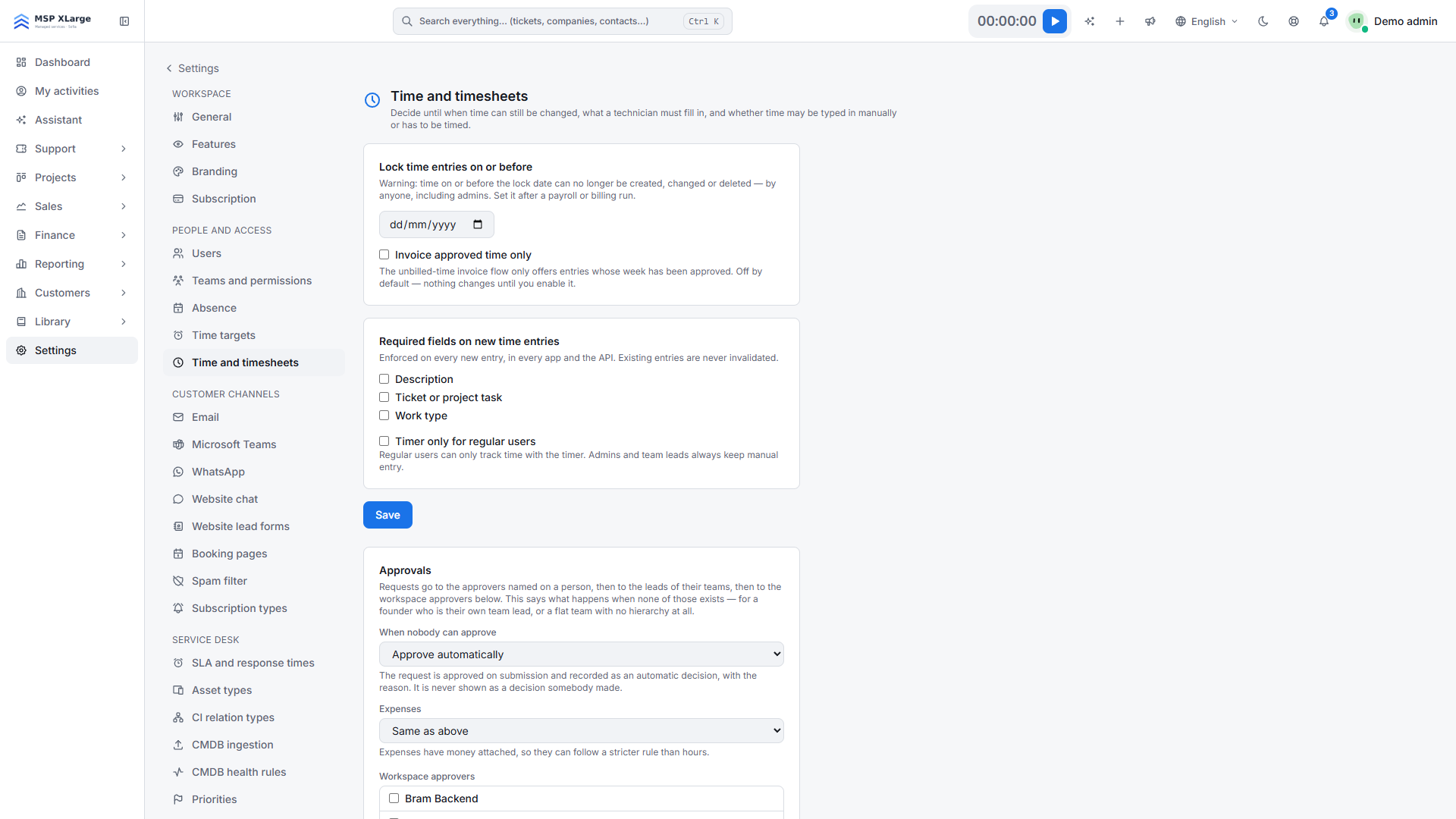 Time settings: locking, approvals and required fields.
Xcellerate OPS helps you meet the planned requirements; it doesn't replace legal advice. The step-by-step setup is in Set up working-time registration in Xcellerate OPS.
Week 1: map it. Take one week of ticket data and compare it with your team's actual working days. How many hours are invisible? Who works on the road, from home or on call?
Week 2: set up clocking. Turn on clock-in/clock-out and breaks. Agree the rule for on-call and travel with your social secretariat.
Week 3: pilot with a small team. Have two or three technicians clock and log ticket time for a week. Approve the timesheets and check the numbers add up.
Week 4: connect payroll. Test the export with your social secretariat and ask whether your work regulations (arbeidsreglement / règlement de travail) need updating. Then roll out to everyone.
→ Start for free | → Book a 15-minute demo
More on OPS for your service desk and projects.
Sources: Deloitte Belgium (22 September 2026, Dutch); Securex (EN); SD Worx (Dutch).
Xcellerate OPS covers Belgian 2027 time registration requirements out of the box — no extra module needed.