
RMM Labs
7 min read 7 October 2026 By Fred

RAG in Xcellerate OPS: AI that searches by meaning

Xcellerate OPS now indexes your knowledge base, playbooks, documentation and solved tickets as vectors. What RAG and embeddings are, what we built and what your team will notice.
RAG in Xcellerate OPS: AI that searches by meaning

TL;DR Xcellerate OPS now runs retrieval-augmented generation (RAG) on top of a vector index of your own knowledge. Your knowledge base, playbooks, customer documentation, product catalogue, reviewed solutions and ticket categories are turned into embeddings with Mistral's embedding model and stored in your workspace's own database. When an AI colleague searches, OPS combines classic keyword search with search by meaning, so it finds the article that answers the question even when the ticket uses different words. Text is redacted before it is embedded, customer-specific documentation only shows up for that customer, and keyword search keeps working if anything in the vector path fails.

What is RAG?

A large language model knows a lot about the world, but nothing about your customers, your printers or the workaround your senior technician found last spring. Ask it a question about your environment and it will answer anyway, sometimes convincingly and wrongly.

Retrieval-augmented generation (RAG) fixes that by splitting the work in two:

  1. Retrieve. Before the model answers, the system looks up the passages in your own content that are most relevant to the question.
  2. Generate. The model writes its answer using those passages as its source material.

Think of it as an open-book exam. The model still does the reasoning and the writing, but it works from your book instead of from memory. The answer gets better as soon as the right page is found, and you can see which page that was.

What are embeddings and a vector database?

The hard part of RAG is the first step: finding the right passage. Classic search matches words. A ticket that says "nobody on the second floor can print" will not find a knowledge base article titled "Print spooler hangs after a driver update", although that is exactly the fix.

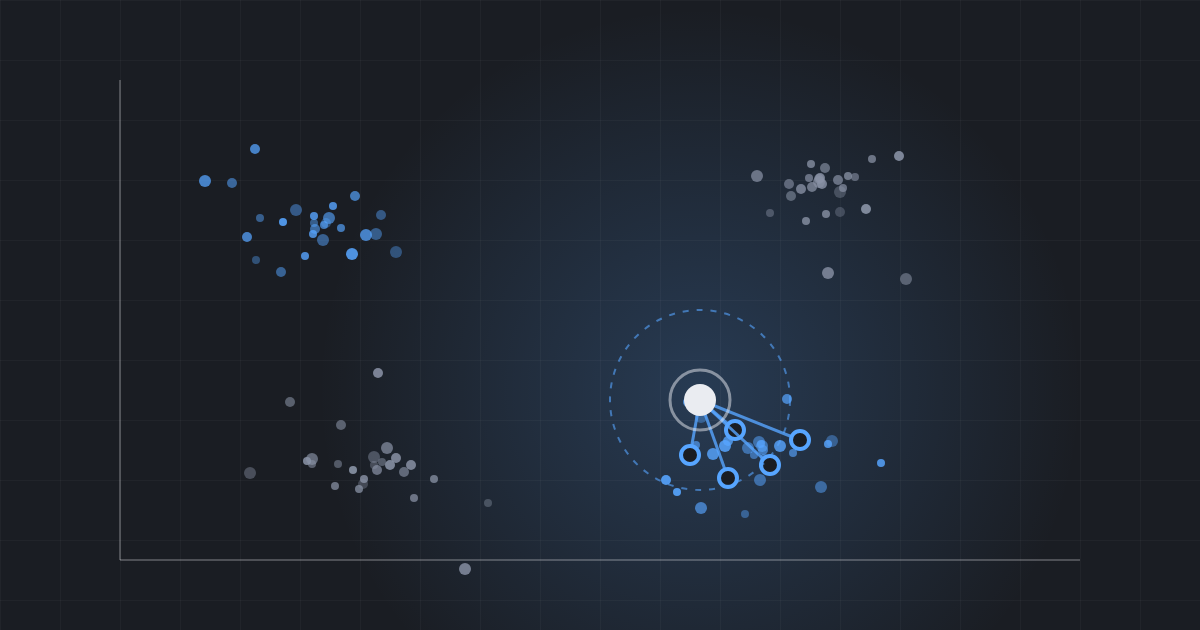
Embeddings solve this. An embedding model reads a piece of text and turns it into a long list of numbers, a vector, that captures what the text means rather than which words it uses. Texts about the same thing end up close to each other in that space, even when they share no words. "Can't print", "printer offline for everyone" and "spooler hung" land near each other; "invoice overdue" lands far away.

A vector database (or vector index) stores those vectors and answers one question very quickly: which stored vectors are closest to this one? Closeness is usually measured with cosine similarity, the angle between two vectors. The search query is turned into a vector with the same model, and the nearest passages are the candidates the language model gets to read.

Why this matters for a service desk

  • People describe problems in their own words. Customers write symptoms, technicians write fixes. Search by meaning bridges the two.
  • Your knowledge is spread out. Knowledge base articles, playbooks, per-customer documentation, product notes and the solutions your team already found. RAG lets an AI colleague read all of it at the moment it needs it.
  • Grounded answers are checkable. When an answer is built from a named article or playbook, a technician can open the source and verify it. That is the difference between an assistant you can trust and one you have to double-check from scratch.
  • Less guessing, fewer repeated questions. When the AI finds the earlier solution, the senior technician doesn't get asked for the third time this month.

What we built into Xcellerate OPS

One semantic index per workspace

OPS keeps a semantic index of six kinds of content:

  • Knowledge base articles (folders are skipped);
  • Playbooks, including their "applies when" note and the procedure;
  • Documentation you keep per customer;
  • Products from your catalogue, with their description and AI instructions;
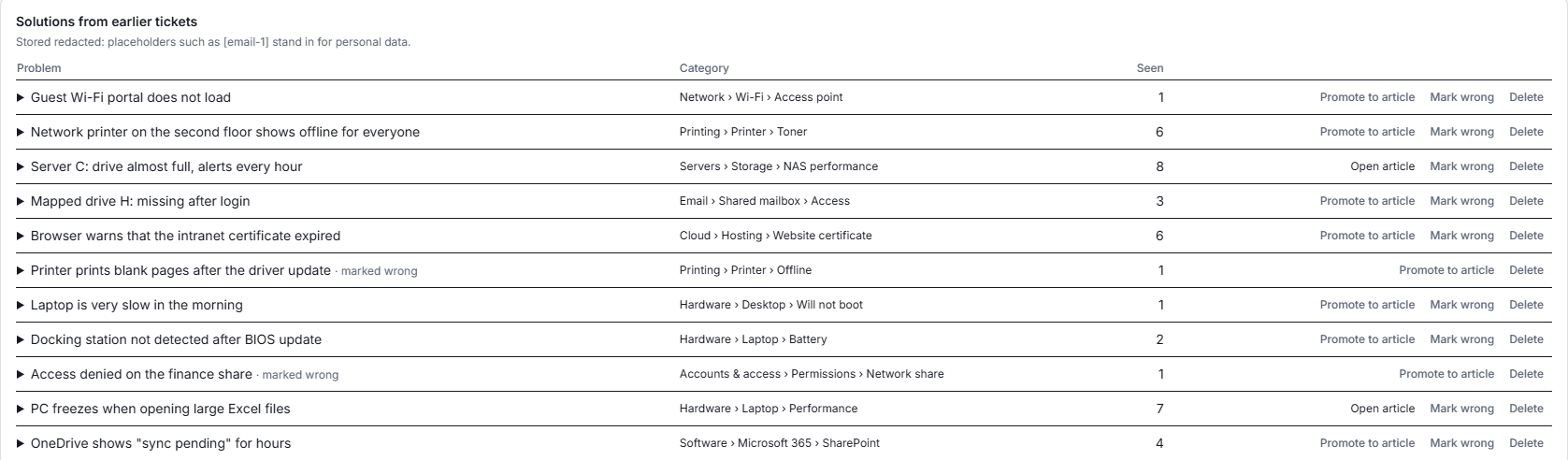
  • Solutions distilled from resolved tickets (a solution a team lead has marked wrong is left out);
  • Ticket categories and the AI hints you wrote for them.

Each item is split into overlapping chunks of roughly 800 tokens, so a long article becomes several searchable passages and the best passage wins. The index lives in your workspace's own database, next to the data it describes. Documentation that belongs to one customer is only returned when the AI is working for that customer.

Embeddings from Mistral

The vectors are made by Mistral's embedding model, mistral-embed, which produces 1,024-dimensional vectors. Two safeguards matter here:

  • Redacted first. Every text passes through the same redaction step as every other AI call in OPS before it leaves the platform. Personal data such as e-mail addresses is replaced by placeholders.
  • One model, one space. Vectors from two different models cannot be compared. If a backup provider is ever needed, OPS only falls back to a provider that serves the same model, so the index never gets mixed.

Hybrid search: keyword and meaning together

OPS never relies on vectors alone. Every search runs two paths:

  1. Keyword search on titles and extracted keywords, which always runs;
  2. Vector search for the passages closest in meaning to the question.

The two result lists are merged with reciprocal rank fusion: an item that ranks well in either list rises, an item that ranks well in both rises most. Vector matches that are too weak (cosine similarity below 0.2) are dropped as noise, and each document appears once, represented by its best passage. A product code or an error number that only keyword search catches is never lost, and a paraphrased symptom that only meaning catches is found too.

Native vector search, with a safety net

Where the database supports native vector search, OPS uses it (cosine distance in SQL). Where it doesn't, a built-in engine computes the similarity itself. If the native path fails for any reason, the search falls back to the built-in engine for that query. Retrieval never breaks because of the vector layer.
Always current, never paid for twice

  • When someone saves a knowledge base article, playbook, document, product, solution or category, OPS re-indexes it shortly after the save. Deleting it removes its vectors.
  • Only passages whose content changed are embedded again; each chunk carries a hash of its content. Identical text reuses an existing vector instead of paying for a new one.
  • The vector for a search question is cached too: the same question is embedded once.
  • During a data import nothing is queued; a nightly reconciliation catches up afterwards.

Where your team notices it

  • AI colleagues search better. Their knowledge base, playbook, documentation and product lookups put the semantic matches first and keep the keyword matches behind them.
  • Related content on a ticket. For the ticket's category, an AI colleague gets the content you linked, the solutions that resolved similar tickets before, and the documents closest in meaning to the ticket's title.
  • Cleaner solution memory. A new solution that is almost identical (cosine similarity of 0.92 or more) to one already stored for the same category is treated as the same solution, so your list doesn't fill up with duplicates.

The solutions list on the AI memory page in Xcellerate OPS, with Promote to article, Mark wrong and Delete on every row Real screenshot from our demo environment, with fictional data.

Privacy and control

  • Text is redacted before it is embedded and the stored solutions keep the placeholders.
  • The index sits in your workspace's own database; customer documentation is scoped to that customer.
  • A team lead can mark a solution wrong (it leaves the index) or delete it; deleting any indexed item removes its vectors.
  • The AI kill switch stops embedding along with every other AI call.
  • The AI Transparency Center lists AI memory in your AI Act register ("kept until erased or deleted; stored redacted"), and Settings → AI memory shows what the memory holds. More on the register on our AI compliance page.

The AI memory row in the AI Act register of Xcellerate OPS: minimal risk, advisory only, kept until erased or deleted, stored redacted Real screenshot from our demo environment; one column is blurred.

What it costs

Embedding uses AI credits under the AI memory category, and every call is logged like any other AI action. Because unchanged passages and repeated questions are never embedded twice, the cost follows how much your knowledge changes, not how often your team searches. The Oversight page in the AI Transparency Center shows what reuse saved.

Getting started

There is nothing to switch on: indexing starts by itself and keeps up as your content changes. The more you write down in articles, playbooks and customer documentation, and the more tickets you resolve, the more your AI colleagues have to work from.

If you are new to Xcellerate OPS, the AI colleagues feature page explains what the colleagues do, and our article on how every ticket you close makes the next one cheaper covers the AI memory this index is part of.

Get started for free

Frequently asked questions

What is RAG in simple terms?
Retrieval-augmented generation means the AI first looks up the most relevant passages in your own content and then writes its answer from them, like an open-book exam.
Do I need to switch anything on?
No. Indexing starts by itself and keeps up as articles, playbooks, documentation, products, solutions and categories are saved or deleted.
Which embedding model does Xcellerate OPS use?
Mistral's mistral-embed model, which produces 1,024-dimensional vectors. Text is redacted before it is sent.
Does keyword search still work?
Yes. Every search runs keyword and vector search together and merges the results. If the vector path fails, keyword search still answers.
Can customer documentation leak to another customer?
No. Documentation that belongs to one customer is only returned when the AI is working for that customer.
Sources: Xcellerate OPS product code and documentation (RMM Labs, October 2026)

Ready to solve time registration compliance?

Xcellerate OPS covers Belgian 2027 time registration requirements out of the box — no extra module needed.
Related articles